How to Build a Budget Gaming PC During the 2026 RAM Shortage
Memory now takes a much bigger share of a build than it used to. Here's how to plan a budget gaming PC that still makes sense.
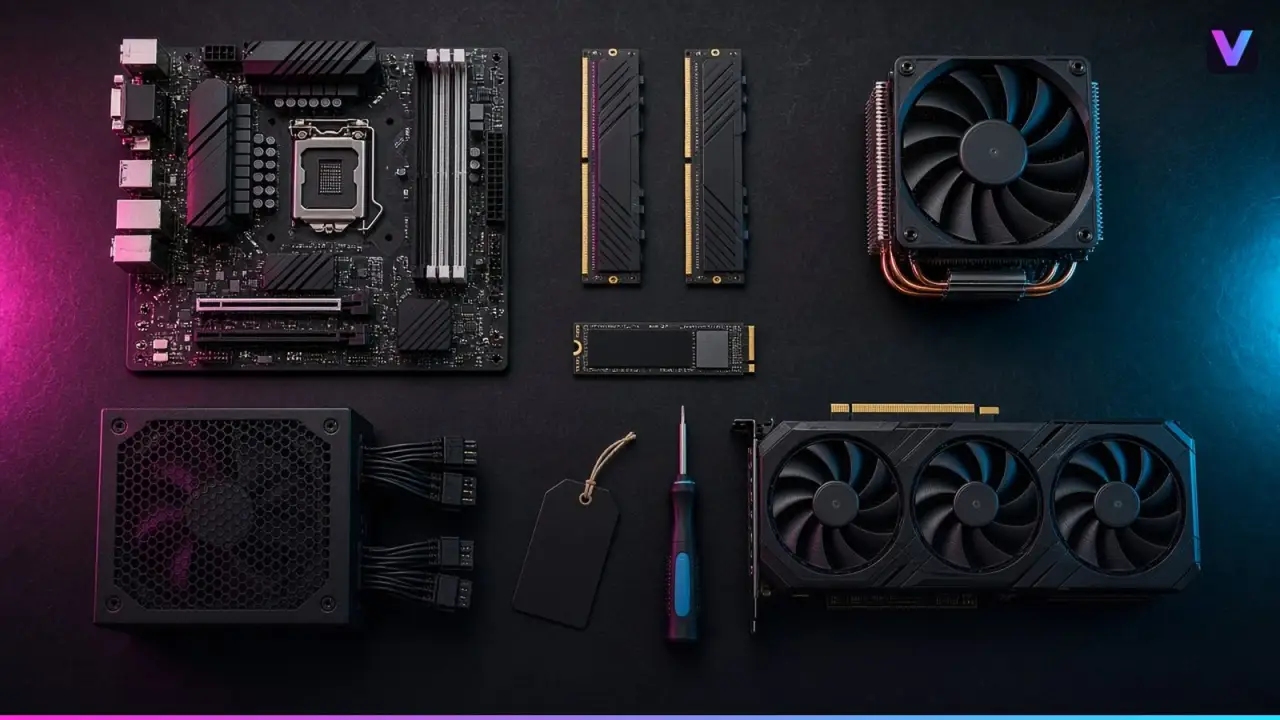
For years, memory was the easy part of a PC build: you picked a 32 GB kit for around $100 and moved on. Not in 2026. Demand from AI data centres has soaked up memory production, and desktop RAM prices have climbed to record highs. In October, Tom’s Hardware reported the cheapest 32 GB DDR5-6000 kit had hit about $450, an increase of more than 500% on the year before. Analysts quoted by several trackers don’t expect relief before late 2027.
This budget gaming PC build guide is written for late 2026 prices, so every step assumes memory costs far more than it used to.
That changes how a budget gaming PC should be planned. Here’s a practical approach that keeps your money where it affects frame rates.
 VIDEO
The plan in one minute
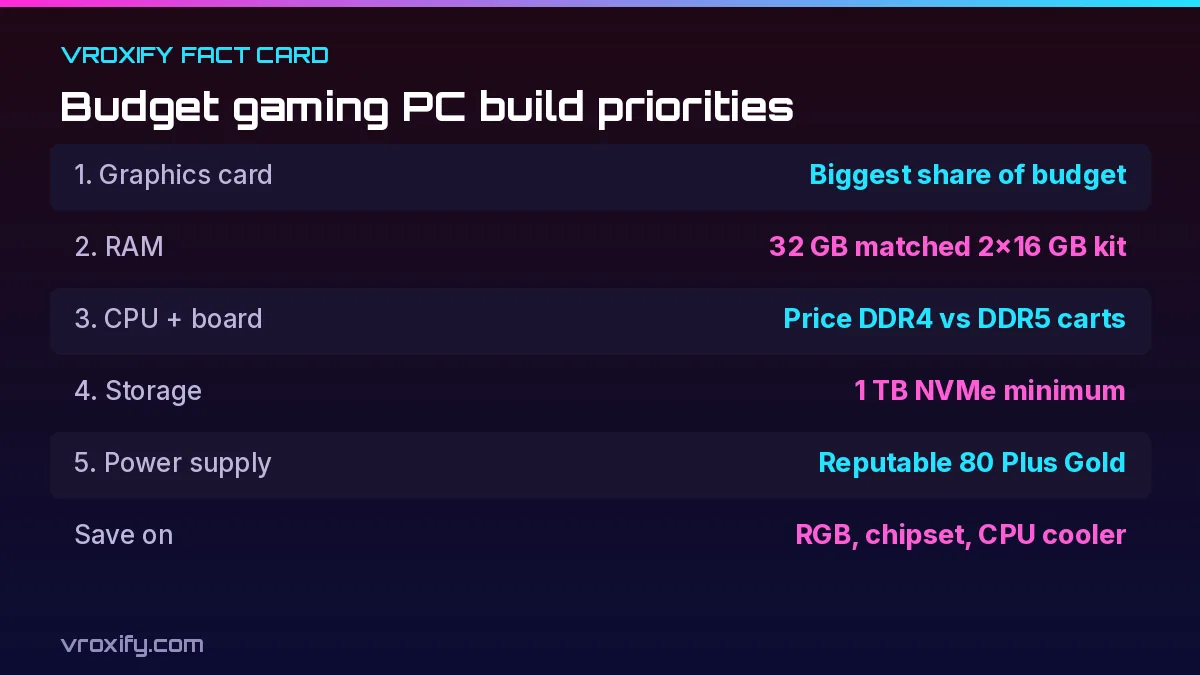
- Spend first on the graphics card. It still decides your frame rate.
- Buy 32 GB as a matched 2×16 GB kit. 16 GB is a fallback for esports-only builds.
- Price DDR4 and DDR5 platforms side by side before choosing a CPU and motherboard.
- Don’t overpay for RAM speed or RGB. Capacity and stability matter more.
- Buy when you need the PC. Waiting for prices to drop is a gamble.
Why RAM got so expensive
The big three memory makers have shifted production towards high-bandwidth memory (HBM) and server DDR5 for AI accelerators, leaving less capacity for consumer kits. New memory fabs take years to build, so supply can’t simply catch up. Trackers cited in November coverage put the typical 32 GB DDR5 kit at $429 to $600, compared with about $95 before the shortage. Prebuilt PCs are affected too: some makers now ship 16 GB where they used to fit 32 GB, so check the spec sheet carefully if you’re comparing a prebuilt against building your own.
Step 1: pick your resolution and frame-rate target
Everything flows from your monitor:
- 1080p at 60–144 Hz: a mid-range CPU and a 1080p-class GPU are plenty.
- 1440p at 144 Hz: you need a stronger GPU with 16 GB of VRAM, and a decent six- or eight-core CPU.
Be honest here. A 1080p build is far cheaper than a 1440p one, and in 2026 that saving is bigger than ever.
Step 2: spend on the graphics card first
The GPU is still the part that most directly sets your frame rate in games. Our GPU buying guide covers the options. For a budget build:
- 1080p: the Intel Arc B580 (launched at $249, 12 GB) or the Radeon RX 9060 XT 16 GB (launched at $349).
- Stretching to 1440p: the Radeon RX 9070 (launched at $549, 16 GB) is the value target when you can find it near launch price.
Graphics card prices are also inflated right now, so set a ceiling relative to MSRP and wait for a deal under it.
Step 3: decide how much RAM you really need
- 32 GB (2×16 GB) is the right capacity for a modern gaming PC that plays big open-world games.
- 16 GB (2×8 GB) can be enough if you mostly play esports titles like Fortnite, Valorant or Counter-Strike 2, and it leaves room to upgrade later.
- 64 GB is for video editing, 3D work and heavy multitasking, not gaming.
Always buy a matched kit of two sticks. A single stick runs in single-channel mode and measurably hurts performance, and mixing kits can cause stability problems at higher speeds.
Speed: DDR5-6000 is the common sweet spot for current AMD platforms, but don’t pay a big premium for a faster or lower-latency kit. In a budget build, that money is better spent on the GPU.
Step 4: the DDR4 vs DDR5 question
This is the shortage’s biggest twist. DDR4 has been much cheaper per gigabyte than DDR5; one widely cited tracker estimate puts it at about 56% less. Some older but still capable platforms use DDR4, including AMD’s AM4 socket with Ryzen 5000-series CPUs.
The catch: DDR4 production is winding down, and its own prices have been rising sharply, so the gap may not last. The sensible approach is to build two carts, one DDR4 platform and one DDR5 platform, including the CPU, motherboard and RAM. Then compare how much money each leaves for the graphics card. Whichever leaves more for the GPU, without trapping you on a dead-end platform you’ll regret, is the better build for you.
The trade-off: a DDR5 platform such as AMD AM5 gives you a better upgrade path for future CPUs. A DDR4 platform can free up a lot of money for the GPU today. Neither is wrong.
Step 5: storage, power supply and case
- Storage: a 1 TB NVMe SSD is the realistic minimum now that big games take well over 100 GB. On PS5, GTA 6 alone needs 212 GB free, and PC games are similar. SSD prices have also risen, so watch for deals.
- Power supply: don’t cut corners. Buy a reputable 80 Plus Gold unit with enough wattage for your GPU’s recommended PSU. A bad PSU can take other parts with it.
- Case and cooling: a case with good front airflow and two or three fans keeps a budget build quiet and cool. The stock cooler that comes with many mid-range CPUs is fine for gaming.
How to split your budget
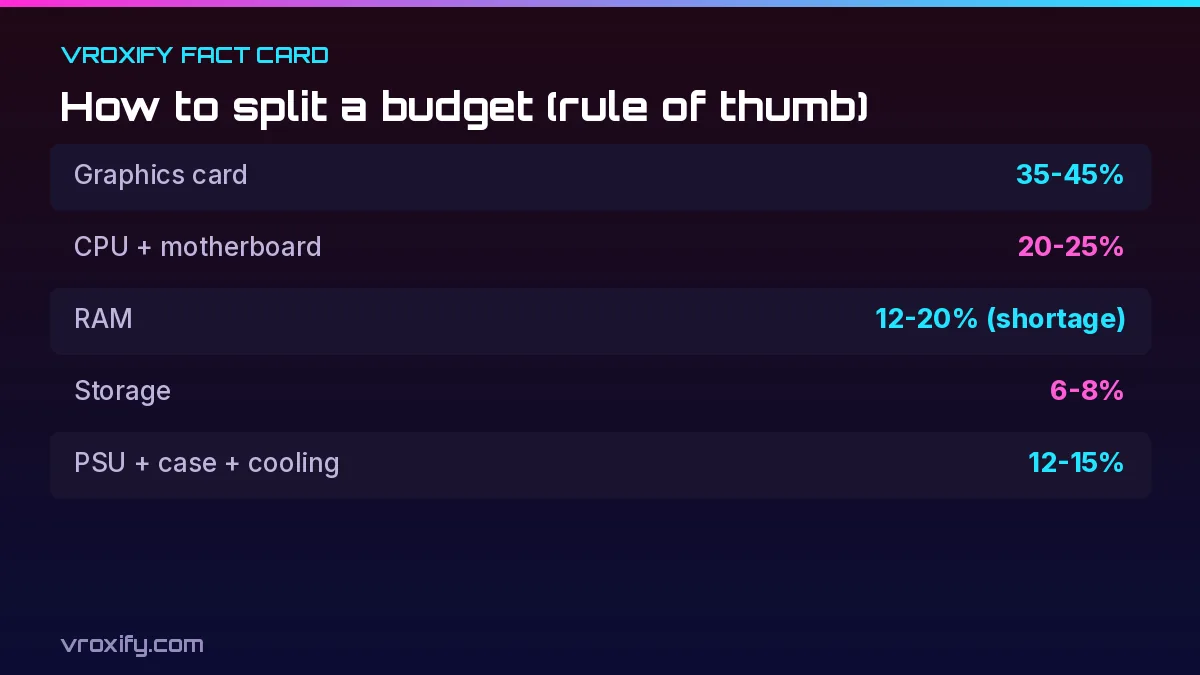
Prices change too fast in a shortage to give a fixed parts list, so we use percentages. These ranges are our rule of thumb for a gaming-first build, not an industry standard. The RAM share is higher than it would have been in 2024, because memory now costs several times more.
| Part | Share of budget | Why |
|---|---|---|
| Graphics card | 35–45% | Sets your frame rate in almost every game |
| CPU and motherboard | 20–25% | Enough for 1080p and 1440p gaming |
| RAM | 12–20% | Higher than usual because of the shortage |
| Storage | 6–8% | 1 TB NVMe is the realistic minimum |
| PSU, case and cooling | 12–15% | Reliability and airflow |
If the RAM share pushes your graphics card below the level you need, that is the signal to look harder at a DDR4 platform or a 16 GB starter kit for an esports-only build.
Three example builds by goal
These are example combinations using the cards from our GPU guide, not exact shopping lists. Price each one on the day you buy.
Esports budget build (1080p, high refresh): a current six-core CPU on whichever platform is cheaper, 16 GB of RAM as a 2×8 GB kit, the Intel Arc B580 or Radeon RX 9060 XT, a 1 TB NVMe SSD and a 550 W to 650 W 80 Plus Gold power supply. This is the cheapest way to play Fortnite, Valorant and Counter-Strike 2 at high frame rates.
All-round 1080p gaming PC: a six-core or eight-core CPU, 32 GB of RAM as a 2×16 GB kit, the Radeon RX 9060 XT 16 GB or GeForce RTX 5060 Ti 16 GB, and a 1 TB or 2 TB NVMe SSD. This handles big open-world games comfortably at 1080p.
Stretch 1440p build: an eight-core CPU on a DDR5 platform for a longer upgrade path, 32 GB of DDR5, the Radeon RX 9070, a 2 TB NVMe SSD and a 750 W 80 Plus Gold power supply. This is where the shortage hurts most, so watch for deals on both the RAM and the GPU.
Power supply sizes here are general guidance. Always check the graphics card maker’s recommended wattage for the exact model you buy.
Where to buy, and how to protect yourself
Shortages attract scams. When parts are expensive and hard to find, fake listings and grey-market sellers multiply. A few rules keep your budget gaming PC build safe:
- Buy from established retailers with clear return policies and real customer service.
- Be suspicious of prices far below everyone else. If a 32 GB DDR5 kit costs half of what every tracker shows, there is usually a reason.
- Pay with a method that offers buyer protection, such as a credit card, rather than bank transfers to individuals.
- Keep every receipt and box until the return window closes, in case a part is faulty.
- Register warranties for the GPU, power supply and motherboard, as some brands require it.
Test before the return window closes
Once the PC is built, run a few demanding games and a memory test in the first week. If anything crashes or behaves strangely, you still have time to return or exchange a faulty part. Finding a bad RAM stick in week one is a simple swap; finding it after the return window closes becomes a warranty claim that can take weeks.
A free memory test that runs overnight, plus an hour of your most demanding game, is enough for most people. Watch temperatures at the same time. If the graphics card or CPU climbs close to its rated limit, improve airflow now rather than living with a loud, hot gaming PC for years. Adding one extra case fan is often the cheapest fix, and it is easiest to do before cables are tidied away for good. Front intake fans pulling cool air across the graphics card usually make the biggest difference in a budget case, especially in summer.
Where you can safely save money
- Motherboard: a basic board from a known brand is fine if it has the ports you need. You don’t need a top chipset for gaming.
- RGB and looks: nice to have, but it all costs money.
- The CPU: at 1080p and 1440p, a current six-core processor is enough for most games. Put the difference into the GPU.
Mistakes to avoid in 2026
- Buying one RAM stick to “save money.” Single-channel memory can cost you frames.
- Overspending on 64 GB for a gaming-only PC.
- Ignoring prebuilt spec sheets. Some now hide 16 GB or slow storage behind a strong GPU.
- Waiting forever. Nobody credible forecasts a price drop before late 2027. If you need a PC now, buy what you need and skip the extras.
- Panic-buying. If your current PC works, upgrading the GPU alone may be the better move this year.
Prebuilt or DIY in a shortage?
Building your own PC used to be the obvious way to save money. In 2026, it is closer. Large system builders buy memory and graphics cards in bulk, and some prebuilt PCs are priced competitively against the cost of the parts. The catch is that prebuilts often save money in places you can’t see.
| DIY build | Prebuilt | |
|---|---|---|
| Control over parts | Full | Limited, check the spec sheet |
| Price in a shortage | Depends on deals you find | Sometimes competitive |
| Hidden weak spots | None if you choose well | RAM, storage, PSU or cooling |
| Warranty | Per part | One warranty for the whole PC |
| Time needed | A few hours to build | Ready to use |
If you consider a prebuilt, check four lines on the spec sheet: the exact GPU model, RAM capacity and whether it is two sticks, the SSD size, and the power supply brand and rating. If any of those are missing, ask before you buy.
Upgrade instead of rebuilding
If your current PC is a few years old but still works, a full rebuild may not be the best use of money this year. A graphics card upgrade alone can transform performance in games, as long as your CPU is not too old and your power supply can handle the new card. Adding a second matching RAM stick to reach dual-channel, or moving from a hard drive to an NVMe SSD, are also cheap upgrades that make an old system feel faster.
First boot: set it up properly
A new budget gaming PC build is only as good as its setup. After assembly, these steps make sure you get the performance you paid for:
- Update the BIOS if the motherboard maker recommends it for your CPU.
- Enable the memory profile (EXPO on AMD, XMP on Intel) in the BIOS, so your RAM runs at its rated speed instead of a slower default.
- Check both RAM sticks are detected and running in dual-channel mode.
- Install the latest graphics driver directly from AMD, NVIDIA or Intel.
- Plug the monitor into the graphics card, not the motherboard, and set the correct refresh rate in Windows display settings.
- Check temperatures in a demanding game. If the CPU or GPU runs very hot, review case airflow and fan curves.
Is a console the better deal right now?
For some players, yes. Consoles have stable prices and include fast storage, and the biggest launch of the year, GTA 6, is console-only at launch with no PC version announced. A PC still wins for flexibility, mods, esports at high refresh rates and long-term upgrades. Pick the platform that suits the games you actually play.
FAQ
How much should a budget gaming PC build cost in 2026?
It depends on your resolution target and current prices, which are inflated by the memory shortage. Use the budget split above: put the largest share into the graphics card and expect RAM to take a bigger share than in previous years.
Is 16 GB of RAM enough for a budget gaming PC?
For esports titles like Fortnite, Valorant or Counter-Strike 2, 16 GB in a matched 2×8 GB kit can be enough. For big open-world games, 32 GB is the better target.
Should I choose DDR4 or DDR5 for a budget build?
Price both platforms as full carts, including the CPU, motherboard and RAM. DDR4 can free up money for the GPU, while DDR5 offers a better upgrade path.
When will RAM prices go down?
Nobody credible forecasts a significant drop before late 2027, because new memory fabs take years to build. Buy when you need the PC.
Is a console better value than a budget gaming PC?
Consoles have stable prices and include fast storage, and GTA 6 launches on consoles only. A gaming PC wins for flexibility, mods, high-refresh esports and upgrades.
Sources
- Tom’s Hardware: 32 GB of DDR5-6000 now costs $450, AI-induced shortage reaches worst milestone yet
- StorageWire: DDR5 RAM price, November 2026 (RamRadar and other trackers)
- Techmann: RAM prices 2026, buy a gaming PC now or wait?
- nedvedtech: The RAM shortage, explained
- AMD Newsroom: Radeon RX 9060 XT prices
- Intel: Arc B-Series launch
Prices and market data checked on 14 November 2026 and attributed to the trackers named above. Advice is Vroxify’s opinion. No affiliate links on this page.
Related articles

Xbox Game Pass Wave 2: High on Life 2, The Outlast Trials and Every Date in the November Lineup
Xbox Game Pass wave 2 for November 2026 includes Paw Patrol: Dino World, High on Life 2, Call of the Elder Gods, The Outlast Trials and Hela: of Mice and Magic. Dates, Game Pass tiers and the eight games leaving on 30 November.
Razer Carbon Fiber Collection: 47g Viper, 49g DeathAdder, Specs and Whether $250 Is Worth It
Razer has announced the Carbon Fiber Collection, with a 47g Viper V4 Pro Carbon Fiber Edition and a 49g DeathAdder V4 Pro Carbon Fiber Edition. Official specs, reported $249.99 pricing, and whether the material change is worth it over the standard models.

Xbox Black Friday Sale 2026: Start Time, the 9 Named Deals, Design Lab Savings and How to Shop It Smartly
The Xbox Black Friday sale 2026 runs from 19 November at 9 PM PT to 2 December, with up to 80% off select Xbox and PC games, up to 15% off Xbox Design Lab controllers and new offers from 23 November. Start times by region, the nine named deals and smart buying tips.