RTX Spark Laptops for Gaming: Models, Prices, Performance and Who Should Buy One
NVIDIA's Arm-based RTX Spark laptops promise 1440p gaming at 100+ FPS in slim designs, but they start at $2,599 and run Windows on Arm. Here's who they are really for.
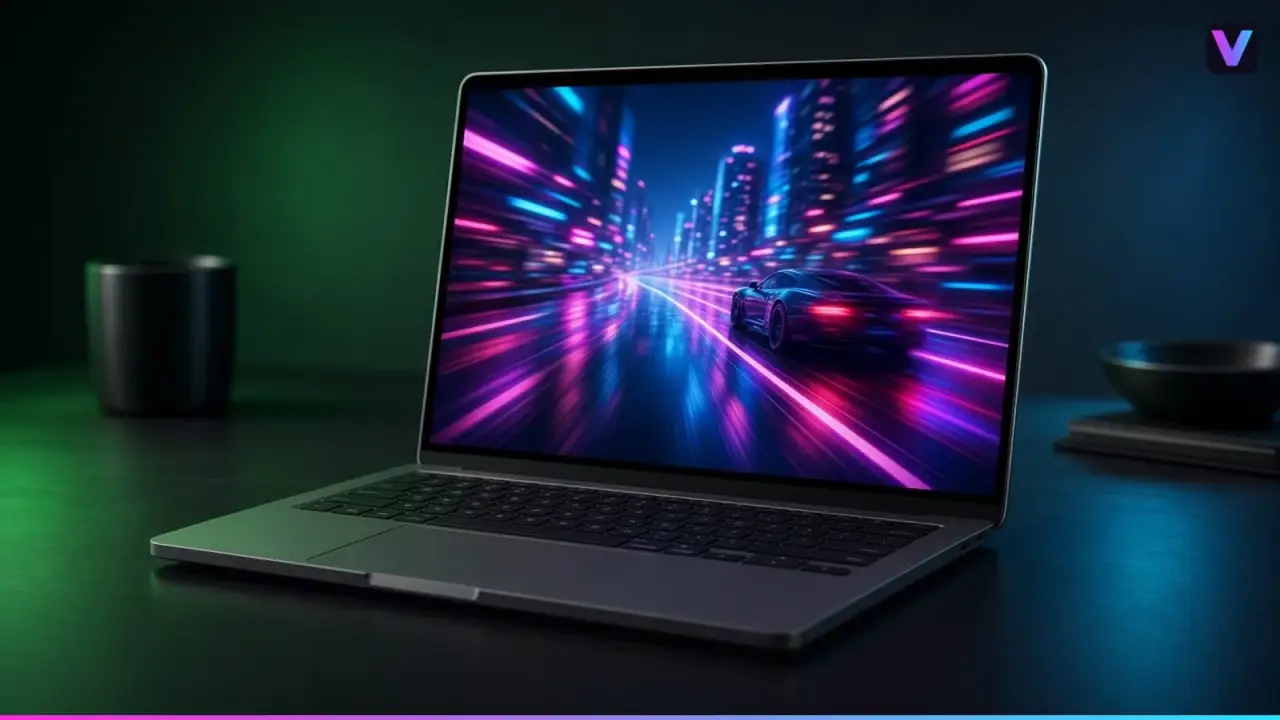
RTX Spark laptops are NVIDIA’s first Windows laptops built around its own Arm-based chip, the N1X. They went on sale on 16 October 2026 from ASUS, Dell, HP, Lenovo, Microsoft and MSI, starting at $2,599, and NVIDIA promises AAA games at 1440p and over 100 FPS in slim, portable designs, according to its official launch announcement.
That sounds like a gamer’s dream, but there are trade-offs: high prices, Windows on Arm, and games that run through emulation. This guide explains the chip, compares every launch model, summarises what early testers found and helps you decide whether one belongs in your bag.
 SHORT
Key facts
- Launch: 16 October 2026, from ASUS, Dell, HP, Lenovo, Microsoft and MSI (NVIDIA)
- Chip: N1X, combining a Grace CPU and a Blackwell RTX GPU with unified memory (Tom’s Hardware)
- Price: from $2,599, up to $6,999.99 for a 128GB ASUS ProArt P16 (The Verge)
- Gaming: DLSS, Reflex, G-SYNC and ray tracing; DLSS 5 in supported games
- Catch: Windows on Arm, so many games run through emulation
What are RTX Spark laptops?
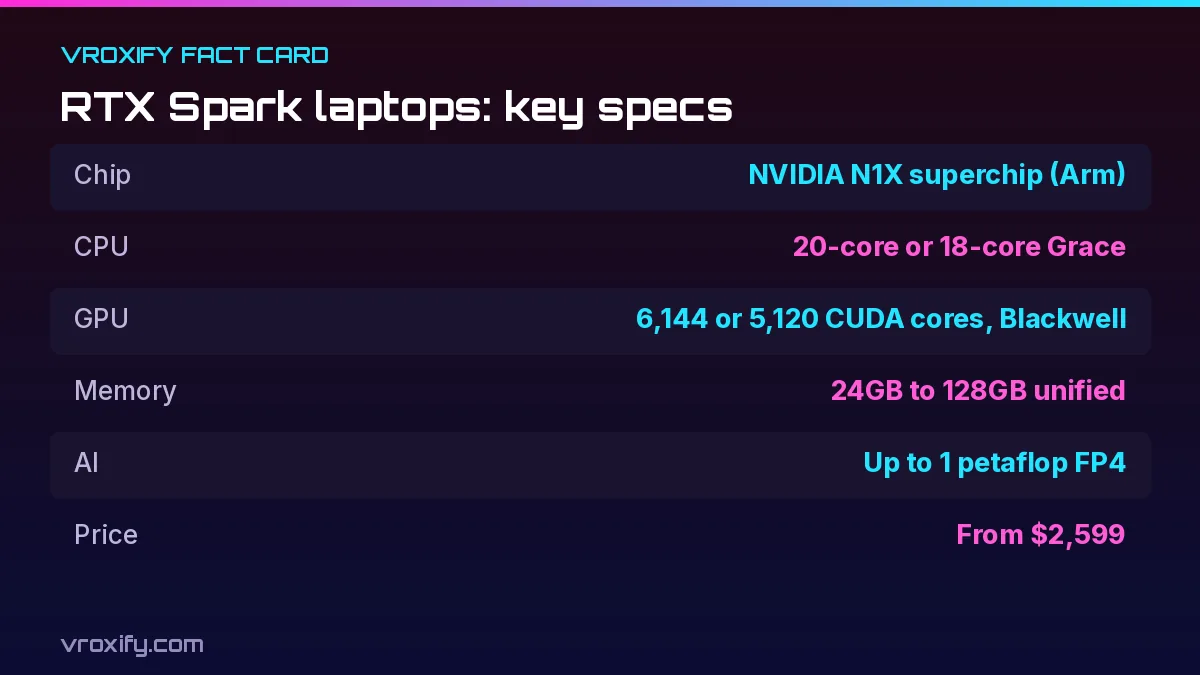
RTX Spark laptops use a single superchip instead of a separate processor and graphics card. NVIDIA combines a Grace CPU (Arm-based) and a Blackwell RTX GPU on one package, with up to 128GB of unified memory shared by both. MediaTek worked with NVIDIA on the CPU design, according to the announcement.
The shared memory is the big idea. On a normal gaming laptop, the GPU has its own video memory, typically 8–16GB. On RTX Spark laptops, the GPU can draw on the whole memory pool. That helps most with AI models and huge 3D scenes, and NVIDIA says the platform delivers up to 1 petaflop of FP4 AI performance.
The two N1X configurations
Tom’s Hardware lists two versions of the chip:
| Full N1X | Cut-down N1X | |
|---|---|---|
| CPU | 20-core Grace | 18-core Grace |
| GPU | 6,144 CUDA cores, Blackwell | 5,120 CUDA cores, Blackwell |
| Memory | 24–128GB unified | 24–32GB unified |
| Where | Higher-end laptops and mini PCs | Lower-cost laptop configurations |
The Verge reports that the cheapest $2,599 configurations use the 18-core, 5,120-core chip with 24GB of memory and 512GB of storage.
Every RTX Spark laptop at launch
NVIDIA’s announcement lists nine launch models:
| Brand | Model | Notes |
|---|---|---|
| ASUS | ProArt P14 | Smaller creator laptop |
| ASUS | ProArt P16 | Up to 128GB; $6,999.99 at the top end |
| Dell | XPS 16 | Premium all-rounder |
| HP | OmniBook Ultra 16 | Premium productivity |
| HP | OmniBook X 14 | Compact option |
| Lenovo | Yoga Pro 9n | 2-in-1 creator laptop |
| Microsoft | Surface Laptop Ultra | NVIDIA’s flagship showcase, up to 128GB |
| MSI | Prestige N16 | Business and creator |
| MSI | Prestige N16 Flip AI+ | Convertible version |
None of these are traditional “gaming laptops” with RGB lighting and huge fans. They are premium creator and productivity machines that can also game. That is the right way to think about the whole category.
Prices
Pricing varies widely by configuration and region. The Verge reports a range from $2,599 for entry models up to $6,999.99 for an ASUS ProArt P16 with 128GB. In its hands-on, The Verge also cites the HP OmniBook at $3,199.99 for a 20-core configuration. For comparison, a strong traditional gaming laptop with an RTX 5070 Ti can cost well under that.
RTX Spark laptops gaming performance
NVIDIA’s headline claim is AAA gaming at 1440p and 100+ FPS, with DLSS. Real-world results depend heavily on the game and settings.
In The Verge’s week of testing, one reviewer found that medium settings at 1440p with DLSS Performance gave a stable 60 FPS in most games, and reported Black Myth: Wukong at about 70 FPS on average at the ProArt’s native resolution with medium settings and DLSS Performance.
That is impressive for a slim laptop, but it is not high-end gaming laptop territory. The same reviewer, who games on an RTX 5090 desktop, said medium settings looked fine on a laptop screen.
DLSS 5 and supported games
NVIDIA lists launch support for games including Cyberpunk 2077, Fortnite, Gears of War: E-Day, Marvel Rivals, World of Warcraft and NBA 2K27. NBA 2K27 uses DLSS 5 with a feature NVIDIA calls 3D-Guided Neural Rendering, and NVIDIA says a new AI model boosts DLSS 5 frame rates by up to 1.4x.
DLSS is the key to good performance on RTX Spark laptops. In supported games, upscaling and frame generation do a lot of the heavy lifting.
The Windows on Arm question
This is the most important section for gamers. RTX Spark laptops run Windows on Arm, not the usual x86 version of Windows. Most PC games are built for x86 processors from Intel and AMD.
The Verge explains that many x86 apps work through Microsoft’s Prism emulation layer, and that while there are still few native Arm games, NVIDIA’s GPU helps “bruteforce through the emulation layer.” That means many games run, but performance can be lower than on an x86 laptop with similar graphics power.
Anti-cheat and online games
Some online games use kernel-level anti-cheat software, which historically has not always supported Windows on Arm. Before you buy, check that the specific competitive games you play are confirmed to work. NVIDIA’s own list includes popular online games such as Fortnite and Marvel Rivals, which is a good sign, but every game is different.
Battery life and portability
NVIDIA promises all-day battery life, and Tom’s Hardware rightly notes that this is a claim that needs testing. Battery life depends on what you do. Light work such as browsing and documents is where Arm chips usually shine.
Heavy work is different. The Verge reported burning through 30 per cent of a Lenovo Yoga Pro 9n’s battery in 36 minutes while running a local AI model. Gaming on battery will drain it quickly too, as on any laptop. For long gaming sessions, plan to plug in.
The upside is that these are slim, light machines that fit in a messenger bag. If you travel and want one device for work and games, that matters.
How to choose the right RTX Spark laptop
1. Pick your chip: 18-core or 20-core
The 20-core N1X has the full 6,144-core GPU. The 18-core version has 5,120 GPU cores, roughly a sixth fewer. For gaming, the full chip is the one to get if your budget allows, as GPU cores matter most for frame rates.
2. Pick your memory
| Memory | Best for |
|---|---|
| 24GB | Gaming plus everyday work and light creative apps |
| 32GB | Gaming plus photo editing and moderate video editing |
| 64GB | Heavy video work and mid-sized local AI models |
| 128GB | Large local AI models and huge 3D scenes |
Because memory is shared, a gamer who never runs AI models will see little benefit beyond 32GB. Don’t pay thousands extra for memory you won’t use.
3. Pick your screen
The models range from 14-inch to 16-inch designs. A 14-inch laptop is easier to carry; a 16-inch model gives a better gaming and editing experience. Look for a high refresh rate if you care about smooth gameplay, and check whether the panel is OLED, which several premium models use.
4. Check storage
Entry configurations start at 512GB, which fills fast with modern games. GTA 6-sized installs and big creative projects need more. Aim for at least 1TB if you plan to keep several games installed.
5. Check the ports
Look for at least two USB-C ports, a full-size HDMI output if you use a TV or monitor, and an SD card reader if you shoot photos or video. The Verge notes that only the Surface Laptop Ultra has Microsoft’s magnetic USB-C style charging.
RTX Spark laptops for creators and AI
NVIDIA says the platform can edit 8K 4:2:2 video and render 3D scenes up to 90GB, even unplugged. Adobe Photoshop and Premiere offer native RTX Spark support through beta releases, with Substance coming soon.
For streamers, NVIDIA Broadcast 2.3 can remove background noise from existing recordings, and NVIDIA says compatible AI agents can adjust Broadcast effects or batch-process clips locally. NVIDIA PAIR also lets an RTX Spark laptop serve AI tasks to other computers on a home network.
These features are why the laptops cost what they do. If you would use them, the price makes more sense. If you only want to game, you are paying for a lot of capability you won’t touch.
RTX Spark laptops vs traditional gaming laptops

| RTX Spark laptops | Traditional gaming laptop | |
|---|---|---|
| Starting price | $2,599 | Much lower for similar gaming FPS |
| Design | Slim, premium, quiet-focused | Thicker, more cooling |
| Gaming compatibility | Good, via emulation for many games | Best, native x86 |
| Max gaming performance | Good at 1440p with DLSS | Higher with an RTX 5070 Ti or above |
| AI and creative work | Excellent, up to 128GB unified memory | Limited by GPU memory |
| Battery life | NVIDIA promises all-day battery | Usually shorter when gaming |
Who should buy RTX Spark laptops?
- Creators who also game. If you edit video, work in 3D or use Adobe apps and want to game in the evening, these are compelling.
- Local AI developers. Up to 128GB of unified memory lets you run large models locally.
- Travellers. If you want one slim laptop for work and play, the trade-offs may be worth it.
Who should not?
- Gamers on a budget. You pay a lot for AI and creative features you may never use.
- Competitive esports players. Check anti-cheat support first, and a high-refresh x86 gaming laptop will usually give more FPS for the money.
- Players chasing maximum settings. A desktop or a high-end gaming laptop is better value.
If gaming is your main reason to buy, our budget gaming PC build guide and best graphics card for 1440p guide will get you far more frames per dollar.
Our picks by type of buyer
These picks are based on each model’s positioning and published specs, not our own lab testing:
- Best for creators who game: ASUS ProArt P16. A big screen, configurations up to 128GB and a creator focus make it the most capable, if also the most expensive, of the RTX Spark laptops.
- Best all-rounder: Dell XPS 16. Dell’s premium line usually balances build quality, screen and keyboard well, which suits work by day and gaming by night.
- Best showcase: Microsoft Surface Laptop Ultra. It is the flagship NVIDIA and Microsoft used to launch the platform, with up to 128GB of memory.
- Best 2-in-1: Lenovo Yoga Pro 9n or MSI Prestige N16 Flip AI+, if you want a convertible design for drawing or presentations.
- Best compact option: ASUS ProArt P14 or HP OmniBook X 14, for travellers who value weight over screen size.
Whichever you choose, compare the exact configuration, not just the model name, as the chip, memory and storage vary widely within each range.
Tips for gaming on RTX Spark laptops
If you buy one, these settings will help you get the best experience:
- Turn on DLSS. Use Quality mode at 1080p or Performance mode at 1440p. Frame generation helps in single-player games.
- Start at medium settings. The Verge’s results suggest medium is the sweet spot for 60 FPS at 1440p. Raise individual settings from there.
- Use NVIDIA Reflex in competitive games to reduce input latency.
- Plug in for long sessions. Performance and battery life are both better on mains power for gaming.
- Keep drivers updated. NVIDIA’s Game Ready drivers include fixes and optimisations for new games and emulation.
- Check native Arm versions. Some games and launchers are adding Arm-native versions, which run faster than emulated ones.
- Use cloud gaming as a backup. If a game doesn’t run locally, a cloud gaming service such as GeForce NOW or Xbox Cloud Gaming may still let you play it.
Should you buy RTX Spark laptops now or wait?
Buy now if you are a creator or AI developer who also games and wants the best thin-and-light Windows option available today.
Wait if you are mainly a gamer. First-generation platforms usually improve with software updates, and more games will gain native Arm versions over time. Prices on premium laptops also tend to fall after launch, especially during holiday sales such as Black Friday on 27 November.
You may also have seen this week’s news that Jensen Huang resigns as NVIDIA CEO. NVIDIA’s board says the product roadmap continues without interruption, and the laptops themselves are sold and supported by their makers, so we do not think it should change your buying decision.
What about desktops and mini PCs?
Tom’s Hardware reports that the N1X is also designed for small desktops and mini PCs, not only laptops. If you don’t need portability, a compact desktop version may offer better value when more systems arrive. NVIDIA’s announcement says additional systems will follow.
FAQ
What are RTX Spark laptops?
They are Windows laptops built around NVIDIA’s Arm-based N1X superchip, which combines a Grace CPU and a Blackwell RTX GPU with up to 128GB of shared memory. They launched on 16 October 2026.
How much do RTX Spark laptops cost?
Prices start at $2,599 and reach $6,999.99 for a top-spec ASUS ProArt P16 with 128GB of memory, according to The Verge.
Can RTX Spark laptops play games?
Yes. NVIDIA claims AAA games at 1440p and over 100 FPS with DLSS. The Verge found most games ran at a stable 60 FPS at 1440p on medium settings with DLSS Performance.
Do all PC games work on RTX Spark laptops?
Not necessarily. They run Windows on Arm, so many games run through Microsoft’s Prism emulation. Check that your must-play games, especially online games with anti-cheat, are supported before you buy.
What is the N1X chip?
The N1X is the NVIDIA superchip inside RTX Spark laptops. It combines an Arm-based Grace CPU with 18 or 20 cores and a Blackwell RTX GPU with 5,120 or 6,144 CUDA cores, sharing up to 128GB of unified memory.
Which RTX Spark laptop is best for gaming?
For gaming, choose a model with the full 20-core N1X and its 6,144-core GPU, 32GB of memory, at least 1TB of storage and a 16-inch high-refresh screen. Paying for 64GB or 128GB brings little benefit for games alone.
Are RTX Spark laptops good for gaming value?
Not for pure gaming value. A traditional gaming laptop or desktop gives more performance for the money. RTX Spark laptops make sense if you also need creative or AI performance in a slim design.
Sources
Prices and specs checked on 14 November 2026 and vary by region. Vroxify is not affiliated with NVIDIA or any laptop maker. Artwork is original and shows no real product.
Related articles
How to Build a Budget Gaming PC During the 2026 RAM Shortage
A practical plan for building a budget gaming PC in November 2026, when 32 GB of DDR5 costs several times what it did a year ago: priorities, part-by-part advice and mistakes to avoid.

Xbox Game Pass Wave 2: High on Life 2, The Outlast Trials and Every Date in the November Lineup
Xbox Game Pass wave 2 for November 2026 includes Paw Patrol: Dino World, High on Life 2, Call of the Elder Gods, The Outlast Trials and Hela: of Mice and Magic. Dates, Game Pass tiers and the eight games leaving on 30 November.
Razer Carbon Fiber Collection: 47g Viper, 49g DeathAdder, Specs and Whether $250 Is Worth It
Razer has announced the Carbon Fiber Collection, with a 47g Viper V4 Pro Carbon Fiber Edition and a 49g DeathAdder V4 Pro Carbon Fiber Edition. Official specs, reported $249.99 pricing, and whether the material change is worth it over the standard models.