Best PS5 SSD for GTA 6: Requirements, Top Picks and How to Install One
GTA 6 can need up to 212 GB on console. If your PS5 is nearly full, an M.2 SSD is the fastest, cleanest fix. Here's exactly what to buy and how to fit it.
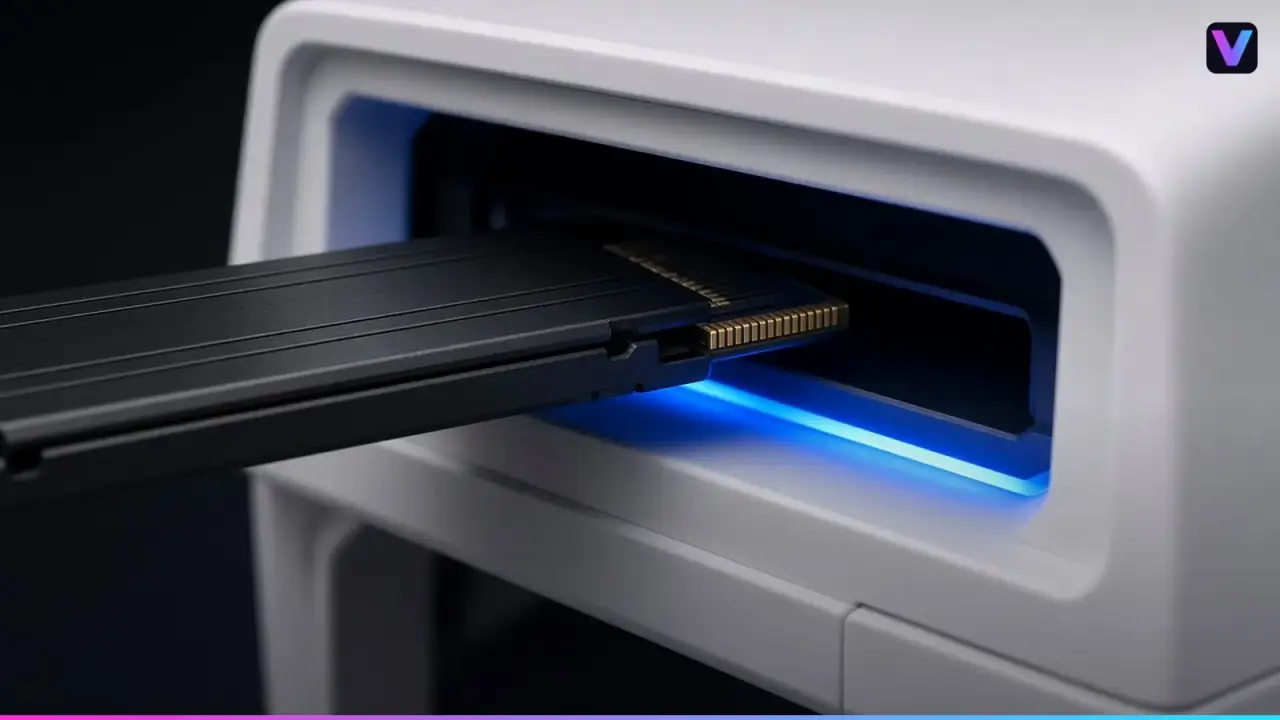
The best PS5 SSD for most players is a fast PCIe Gen4 M.2 SSD with a heatsink, in 2TB, from a reliable brand such as Samsung, WD_Black or Crucial. With GTA 6 needing up to 212 GB depending on the device, as The Verge reported quoting Rockstar, an M.2 SSD is the quickest way to make space without deleting your library.
This guide explains Sony’s official requirements, recommends five drives that meet them, helps you choose the right capacity and walks you through installation. It applies to every PS5 model with an M.2 slot, including the PS5 Pro.
 VIDEO
Key facts
- Interface: PCIe Gen4 x4 M.2 NVMe SSD (PlayStation Support)
- Capacity supported: 250GB to 8TB
- Speed: 5,500 MB/s sequential read or faster recommended
- Cooling: a heatsink or heat-transfer sheet is required; total thickness up to 11.25 mm
- GTA 6: up to 212 GB depending on the device (The Verge)
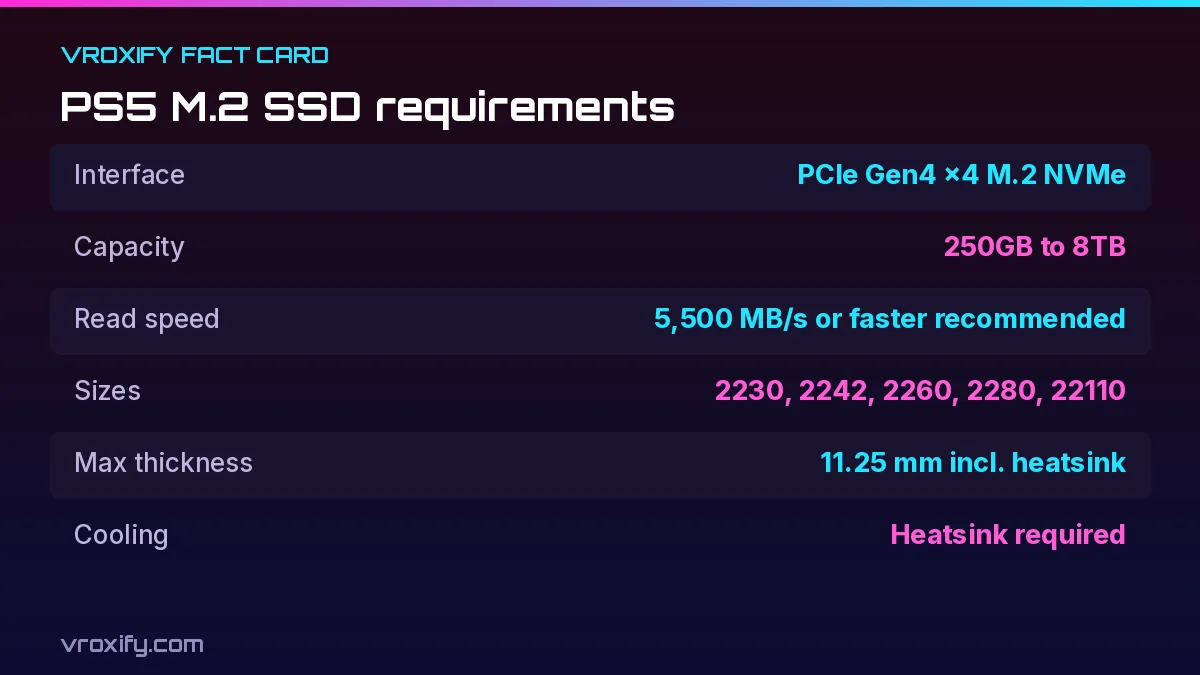
PS5 M.2 SSD requirements (official)
Before you buy anything, check that the drive meets Sony’s specification. According to PlayStation Support:
| Requirement | Official specification |
|---|---|
| Interface | PCI-Express Gen4 x4 M.2 NVMe SSD (Key M) |
| Storage space | 250GB to 8TB |
| Form factor | 2230, 2242, 2260, 2280 or 22110 |
| Width (incl. cooling) | Up to 25 mm |
| Thickness (incl. cooling) | Up to 11.25 mm (up to 8 mm above the board, 2.45 mm below) |
| Sequential read speed | 5,500 MB/s or faster recommended |
| Socket | Socket 3 (Key M) |
Sony also says that using an M.2 SSD requires effective heat dissipation, such as a heatsink and a heat-transfer sheet. Many drives are sold in a “with heatsink” version sized for the PS5. Those are the easiest choice.
Heatsinks explained
An M.2 SSD gets warm when it reads and writes a lot of data, which happens constantly while you play. If it gets too hot, it slows itself down to protect itself. A heatsink spreads that heat so the drive stays fast.
You have two options:
- Buy a drive with a built-in heatsink made for the PS5. This is the easiest route and avoids any fitting problems.
- Add a third-party PS5 heatsink to a bare drive. This can be cheaper, but check that the total height stays within Sony’s 11.25 mm limit and that it doesn’t block the slot cover.
Whichever you choose, the PS5’s own cooling fan helps once the cover is back on.
Gen5 drives
PCIe Gen5 SSDs are backwards compatible with Gen4 slots, but the PS5 runs them at Gen4 speeds, and they often run hotter and cost more. There is no benefit to paying extra for Gen5 on PS5.
The best PS5 SSD picks
These drives are long-established, widely sold and meet Sony’s requirements in their heatsink versions. We don’t list prices because SSD prices have moved a lot during the current memory shortage. Compare current prices before you buy, and see our note on prices below.
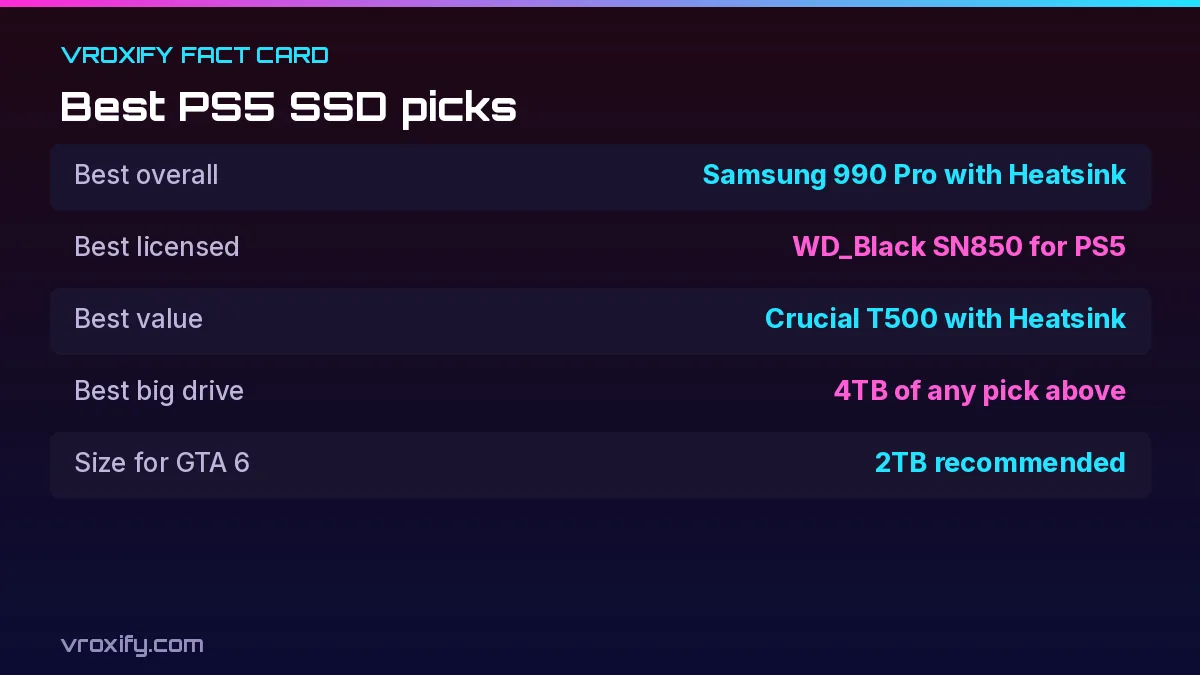
1. Samsung 990 Pro with Heatsink: best overall
The Samsung 990 Pro is one of the fastest Gen4 drives available, with sequential reads up to about 7,450 MB/s, far above Sony’s recommended 5,500 MB/s. Samsung sells a version with a slim heatsink designed to fit the PS5. It is a premium drive, and a safe choice if you want the best.
2. WD_Black SN850 for PS5: best officially licensed
The WD_Black SN850 NVMe SSD for PS5 Consoles is an officially licensed PS5 drive with an integrated heatsink, sold in 1TB and 2TB versions, now through SanDisk’s store. Reads reach up to about 7,000 MB/s. If you prefer a drive branded for PS5 and want the simplest decision, this is it. The newer SN850X is also fast and widely used in its heatsink version, but the SN850 is the licensed model.
3. Crucial T500 with Heatsink: best value
The Crucial T500 is a fast Gen4 drive with reads up to about 7,400 MB/s on larger capacities. Its heatsink version fits the PS5 and usually costs less than the Samsung and WD options.
4. Seagate FireCuda 530R with Heatsink: strong alternative
Seagate’s FireCuda line has long offered PS5-compatible heatsink models with high endurance ratings. Consider it if it’s cheaper than the others when you shop.
5. Any of the above in 4TB: best for big libraries
If you keep many big games installed, a 4TB drive avoids future storage worries. Check the heatsink version’s dimensions; most well-known 4TB heatsink models fit within Sony’s limits.
Best PS5 SSD by budget and need
| If you want… | Choose |
|---|---|
| The fastest, most premium option | Samsung 990 Pro with Heatsink, 2TB |
| An officially licensed PS5 drive | WD_Black SN850 for PS5, 2TB |
| The best price for good speed | Crucial T500 with Heatsink, 2TB |
| A large library with no compromises | Any pick above in 4TB |
| The lowest total cost | A 1TB M.2 SSD from the list |
Our overall pick for the best PS5 SSD is a 2TB heatsink model from this list at whatever price is lowest on the day. All of them are fast enough, and the capacity matters more than the brand.
How we chose these drives
We built this list of the best PS5 SSD options using four simple rules:
- Meets Sony’s official requirements for interface, speed and size, in a heatsink version.
- Established models, sold for long enough to have a track record and wide availability in the US, UK, Canada and Australia.
- Trusted brands with clear warranties and support.
- Sensible value, so you aren’t paying for features the PS5 can’t use, such as PCIe Gen5 speed.
We haven’t lab-tested these drives ourselves for this guide, and we don’t earn money from any link on this page. Speeds quoted are the manufacturers’ published figures. If a drive you’re considering isn’t listed, check it against the requirements table above: if it matches every line and has a suitable heatsink, it should work.
What size PS5 SSD should you buy for GTA 6?
| Capacity | Good for |
|---|---|
| 1TB | GTA 6 plus a few other big games |
| 2TB | GTA 6 plus a large library; best value for most |
| 4TB | Big libraries, no more deleting |
| 8TB | Collectors; expensive |
A 2TB drive is the sweet spot for most players. It roughly triples the usable storage of a standard PS5 and fits GTA 6 several times over. The PS5 Pro already has 2TB inside, so Pro owners can often wait unless they have a large library.
Does SSD speed matter on PS5?
Sony recommends 5,500 MB/s or faster. Every drive in our list is well above that, at roughly 7,000 MB/s or more. In practice, the difference between a 7,000 MB/s drive and a 7,450 MB/s drive is very small in games. Load times depend mainly on how a game is built, not on a few hundred extra MB/s.
What matters more:
- Meeting Sony’s minimum, so games designed around the PS5’s fast storage run as intended
- A proper heatsink, so the drive doesn’t overheat and slow down during long sessions
- A trusted brand with a good warranty, because storage failures are painful
So when you compare the best PS5 SSD options, don’t overpay for a tiny speed advantage. Pick the drive with the right capacity, a heatsink and the best price on the day.
M.2 SSD vs external USB drive
| Internal M.2 SSD | External USB drive | |
|---|---|---|
| Play PS5 games from it | Yes | No, storage only |
| Play PS4 games from it | Yes | Yes |
| Speed | Very fast | Slower |
| Install | Open the console | Plug in |
| Best use | Your main extra storage | Archiving games you aren’t playing |
An external USB drive is a cheap way to park PS5 games you aren’t playing and to run PS4 games, but you can’t play PS5 games from it. For GTA 6 and other new releases, an internal M.2 SSD is the right choice.
A note on SSD prices in late 2026
SSD and memory prices have been unusually volatile this year because AI data centres are buying huge amounts of memory chips. That’s why we don’t quote fixed prices. Our advice:
- Compare at least three retailers before buying.
- Watch Black Friday on 27 November, when storage deals are common.
- Buy the capacity you need now rather than gambling on prices falling.
Our budget gaming PC build guide explains more about the memory shortage and how it affects PC parts too.
Common mistakes to avoid
- Buying a drive without a heatsink and forgetting to add one. Sony requires effective cooling.
- Choosing a heatsink that is too tall. The total thickness limit is 11.25 mm; chunky PC heatsinks may not fit.
- Buying a PCIe Gen3 drive. It won’t meet Sony’s requirements.
- Skipping the system update. Sony advises updating the PS5 before installing the drive.
- Forgetting to move the spacer to the right position for your drive’s length.
- Formatting a drive with data you need. The PS5 erases the drive when it formats it.
Which PS5 do you have?
Every current PS5 model has an M.2 expansion slot, but storage sizes differ, which changes how urgently you need the best PS5 SSD:
| Console | Built-in storage (as sold in 2026) | Upgrade urgency for GTA 6 |
|---|---|---|
| PS5 Digital Edition | 825GB | High if you have several big games |
| PS5 (with disc drive) | 1TB | Medium |
| PS5 Pro | 2TB | Low |
Usable space is always lower than the headline number, because the system software reserves part of it. If you already have a few large games installed, a standard PS5 can fill up surprisingly fast once GTA 6 arrives.
Our verdict
For most players, the best PS5 SSD is a 2TB Gen4 M.2 SSD with a heatsink from Samsung, WD_Black or Crucial, bought at the lowest price you can find. It takes 15 minutes to fit, it meets Sony’s requirements with room to spare, and it ends storage stress for GTA 6 and the games that follow. If budget is tight, 1TB still gets you through GTA 6 launch without deleting your favourites.
How to install an M.2 SSD in a PS5
PlayStation’s official guide is the best reference, and the steps vary slightly by model. Here is the overview:
- Update the PS5 system software before you start, as Sony advises.
- Turn off the PS5 fully (not rest mode) and unplug every cable. Let it cool.
- Remove the cover. On newer slim models, the cover slides or lifts off; on the original model, it slides off after you lay the console flat.
- Open the M.2 slot cover with a #1 Phillips or cross-head screwdriver.
- Move the spacer to match your SSD’s length (for most drives, 2280).
- Insert the SSD at an angle, push it down and secure it with the screw.
- Replace the covers, reconnect and power on.
- Format the drive when the PS5 prompts you. Formatting erases anything already on the SSD.
The whole process takes about 15 minutes. Afterwards, you can set the SSD as the default install location in Settings and move games to it.
Getting ready for GTA 6 day
GTA 6 launches on 19 November 2026, and PlayStation said on its blog that pre-loading on PS5 started on 10 November. If you plan to pre-load, add your M.2 SSD first, then set it as the default install location so the download goes straight to it.
Storage checklist for GTA 6
- Check free space in Settings > Storage.
- Install your M.2 SSD if you are short of space.
- Move finished games to the new drive or an external USB drive.
- Start the pre-load and leave the console in rest mode so it finishes.
- Leave headroom for day-one patches; big updates often need extra temporary space.
Our GTA 6 launch checklist covers pre-load times, unlock times and everything else for launch day, and our PS5 vs PS5 Pro for GTA 6 guide explains which console runs it better.
Managing PS5 storage after you upgrade
Once your M.2 SSD is installed, a little organisation keeps things tidy:
- Keep your most-played games on the fastest storage. All internal storage on PS5 is fast, so either drive is fine for current games.
- Use an external USB drive for archives. Moving a game back from USB is faster than downloading it again.
- Delete captures you don’t need. Video clips and screenshots can take a surprising amount of space.
- Check game sizes in Settings. Some games are far bigger than you expect, especially after updates.
With a 2TB M.2 SSD added, most players won’t need to delete anything for a long time.
FAQ
What is the best PS5 SSD for GTA 6?
A PCIe Gen4 M.2 SSD with a heatsink and 2TB of storage from a trusted brand, such as the Samsung 990 Pro with Heatsink, WD_Black SN850 for PS5 or Crucial T500 with Heatsink.
How much space does GTA 6 need on PS5?
The Verge, quoting Rockstar, reported that GTA 6 may need up to 212 GB depending on the device. Plan for that full amount, plus space for updates.
Does a PS5 SSD need a heatsink?
Sony says the drive needs effective heat dissipation, such as a heatsink and a heat-transfer sheet. A drive sold “with heatsink” in a PS5-sized version is the easiest option.
Can I play PS5 games from an external USB drive?
You can store PS5 games on an external USB drive, but you must move them to internal storage or an M.2 SSD to play them. PS4 games can be played from external USB storage.
Is an M.2 SSD better than the PS5’s internal storage?
A good M.2 SSD meeting Sony’s requirements performs similarly to the PS5’s built-in storage for games. The benefit is extra capacity, not extra speed.
Do I need to format the M.2 SSD?
Yes. The PS5 formats the drive after installation, which erases any data on it. Back up anything important first.
What size M.2 SSD fits a PS5?
Sony supports 2230, 2242, 2260, 2280 and 22110 drives. Most popular models, including every pick in this guide, are 2280, the most common size, and fit once you move the spacer to the 80 mm position.
Does the PS5 Pro need an SSD upgrade?
The PS5 Pro has 2TB of storage, so many owners won’t need an upgrade straight away. It has an M.2 slot if you need more space later.
Sources
Requirements checked on PlayStation Support on 14 November 2026. Product speeds are manufacturers’ figures. Vroxify has no affiliate relationship with these brands. Artwork is original and shows no real product.
Related articles

GTA 6 Update 1.002: What the Pre-Launch Patch Is, How Big It Is and How to Get It
Everything confirmed about GTA 6 update 1.002 on PS5: size, the staged rollout, whether it is the day one patch, what Xbox players should expect, and a step-by-step checklist so the game is ready on 19 November.

GTA 6 Runs at 30 FPS Even on PS5 Pro: What Rockstar Actually Confirmed
Rockstar's official target for GTA 6 is 30 FPS on every current console, PS5 Pro included. Here is what the Pro adds and why the target matters.

PS5 Passes 100 Million: What Sony Actually Confirmed, How It Compares and What Comes Next
Sony confirms the PS5 has passed 100 million units sold-in as of 10 November 2026. We break down the official figures, compare PS5 with PS4, PS2 and PS1, explain sell-in vs sell-through, and look at what GTA 6 means for sales.